SURVEY AREA
cari tahu keinginan dari konsumen yang ada di area di mana anda akan berjualan.
Cari tahu barang atau kebutuhan yang diminati dari para konsumen tetapi tidak tersedia di daerah tersebut
Cari tahu jam berapa biasanya masyarakat atau konsumen sedang dalam keadaan santai atau tidak ada kesibukan
Cari tahu harga dari barang-barang sejenisyang akan Anda jual di daerah tersebut. Sebisanya anda menjual lebih murah.
KETIKA BERJUALAN
Berjalan atau berkendara lah dengan pelan dan sopan sambil menawarkan dagangan anda.
Jangan terburu-buru atau ngebut seperti sopir Metromini yang di kejar setoran
Berhentilah sejenak di kala ada kerumunan orang-orang yang sedang ngobrol atau bersantai
Lewati lah jalur yang sama di waktu yang sama setiap hari atau setiap minggunya agar masyarakat terbiasa dan menganggap Anda bisa diandalkan untuk memenuhi kebutuhannya
Jangan terlalu pelit dalam memberikan bonus berupa potongan harga ataupun mengabulkan harga yang diinginkan konsumen mengingat anda juga perlu promosi
Bersikap ramah pada setiap calon konsumen cerita jangan terlalu mengobral omongan atau berbohong
Jaga Citra anda di daerah tersebut jangan sampai Anda melakukan hal-hal yang membuat orang tidak bersimpati dengan anda
Selalu tulus dan berpikiran positif dalam melayani konsumen meskipun Anda sedikit merasa jengkel
Berdoa setiap hari, bersodakoh serta sesekali menolong orang di jalan yang membutuhkan bantuan anda
Selalu tersenyum dan Rahmah juga harus selalu dilakukan pada anak atau anggota keluarga konsumen anda
Berikut ini adalah daftar tombol recovery netbook untuk netbook-netbook yang banyak beredar dipasaran.
- ACER : ALT + F10 (Pastikan D2D pada BIOS sudah di enabled).
- ASUS : F9
- LENOVO/IBM : F11
- HP / COMPAQ : F11
- NEC / FUJITSU : F11
- SONY : F10
- TOSHIBA : 0 (angka nol)
Untuk melakukan recovery pada netbook, reboot terlebih dahulu netbook yang bersangkutan, kemudian tekan tombol atau kombinasi tombol recovery pada keyboard. Jika prosedurnya dijalankan dengan benar, maka akan muncul recovery console.
Pada recovery console netbook atau laptop, biasanya tersedia pilihan untuk melakukan full atau partial recovery. Full recovery akan mengembalikan keadaan factory settings, dimana data yang tersimpan dalam semua partisi ikut terhapus. Sedangkan partial recovery mengizinkan kita untuk memilih partisi sistem saja yang akan di recover (untuk Windows biasanya drive C:\).
Jangan lupa untuk membuat recovery DVD juga untuk tujuan backup. Simpan DVD tersebut dengan baik agar dapat dipergunakan jika partisi recovery netbook atau laptop anda sudah terhapus atau corrupt.
Semoga bermanfaat.
Tabel dibawah ini dapat mempermudah anda untuk melihat perbandingan antara fitur-fitur pada Windows 7 dengan Windows 8 secara umum.
| FITUR | WINDOWS 7 | WINDOWS 8 |
|---|---|---|
| Antarmuka pengaturan booting | Tidak ada | Ada |
| Lock screen | Tidak ada | Ada |
| Halaman Start | Tidak ada | Ada |
| Menu start (start menu) | Ada | Tidak ada |
| Windows Media Center | Ada | Ada* |
| Desktop gadgets | Ada | Tidak ada |
| Ribbon pada explorer | Tidak ada | Ada |
| Mendukung chipset berbasis ARM | Tidak ada | Ada |
| Charms | Tidak ada | Ada |
| PC settings | Tidak ada | Ada |
| Keyboard dan navigasi sentuh | Tidak ada | Ada |
| Dukungan USB 3.0 | Tidak ada | Ada |
| Toko aplikasi | Tidak ada | Ada |
| Roaming profile | Tidak ada | Ada |
| Refresh PC | Tidak ada | Ada |
| Reset PC | Tidak ada | Ada |
| Secure boot | Tidak ada | Ada |
| Windows To Go | Tidak ada | Ada |
| Hyper-V Client | Tidak ada | Ada |
| Windows XP Mode | Ada | Tidak ada |
| File history | Tidak ada | Ada |
| Storage space | Tidak ada | Ada |
| Flip 3D | Ada | Tidak ada |
| Antarmuka dengan efek aero | Ada | Tidak ada |
| Windows DVD Maker | Ada | Tidak ada |
| Modern Internet Explorer | Tidak ada | Ada |
| Task Manager baru | Tidak ada | Ada |
| Sign-in dengan PIN | Tidak ada | Ada |
| Penggunaan gambar sebagai password | Tidak ada | Ada |
| Dukungan multi monitor yang lebih baik | Tidak ada | Ada |
| Boot lebih cepat (hybrid boot) | Tidak ada | Ada |
| Login dengan akun Microsoft | Tidak ada | Ada |
| SmartScreen | Tidak ada | Ada |
| Mounting berkas ISO | Tidak ada | Ada |
Pada prinsipnya Windows 8 memiliki fokus pada kinerja perangkat yang digunakan berupa penghematan penggunaan batere, penggunaan resources, penggunaan CPU dan dukungan yang lebih baik terhadap perangkat embedded yang berbasis chipset ARM – chipset yang sangat umum digunakan pada perangkat komputer tablet. Serta menitikberatkan pada penggunaan dan aksesibilitas operasi multiplatform.
Sedangkan Windows 7 didesain dengan menonjolkan estetika dan kemudahan pengoperasian pada komputer berbasis desktop atau pc mobile (laptop atau netbook).
tag : windows 7 dan 8, beda windows 8, keunggulan windows 8, windows 8 baru, fitur windows 8, spesifikasi windows 8, kelebihan windows 8
Berikut 20 Tips Menggunakan Windows 8
1. Metro: Langsung ketik itu!
Pertama kita akan mulai dengan trik yang mudah. Jika Anda menggunakan Metro UI pada Windows 8 dan ingin mengupload aplikasi, jangan gerakkan mouse di layar atau scroll mouse, tapi langsung saja ketik! Anda tidak perlu mencari tombol pencarian atau yang lainnya sebab Windows 8 akan mencoba untuk menemukan apapun yang Anda ketik, misalkan itu “Solitaire” atau “Control Panel”.
2. Screenshots sangat menyenangkan dan serbaguna.
Microsoft akhirnya telah membuat cara yang super mudah untuk membuang konten pada screen down untuk sebuah image file. Pertama Anda klik key Print Screen untuk meng-copy konten, tapi Anda masih harus paste pada image pada aplikasi lainnya. Setelah itu buka Windows Key dan Print Screen secara bersamaan untuk membersihkan seluruh layar Anda pada file PNG dalam gambar folder. Mudah!
3. Jangan Upgrade!
Ini adalah panduan untuk menginstal Windows 8, dan jangan mengupgrade Windows 8 pada sistem operasi yang sudah ada. Jika hal ini Anda lalukan maka ada potensi yang tidak kompatible pada perangkat lunak, game dan aplikasi “test version” di Windows 8. Ada baiknya Anda baca buku panduan sebelum menginstal Windows 8.
4. Hot Corner adalah teman Anda.
Microsoft meninggalkan beberapa navigasi kasat mata di empat sudut layar Anda, dan jika Anda menempatkan mouse maka Anda akan melihat menu tersebut. Menu di pojok atas dan bawah untuk mengakses Charm Bar: Search dan Sharing capabilities. Di pojok atas dan bawah sebelah kiri untuk mengakses “Switch List” seperti Anda menekan kombinasi tombol alt dan tab pada keyboard.
5. Hotkey adalah teman anda juga.
Kecuali Anda menggunakan PC dengan layar sentuh, navigasi antar muka dengan UI Metro bisa sangat membosankan. Jadi jangan gunakan mouse Anda, cukup gunakan keyboard Anda. Berikut beberapa hotkey:
Windows Key + Tab - untuk membuka “Switch List”.
Windows Key + C - untuk membuka Charms Bar.
Windows Key + I - untuk membuka Setting Menu.
Windows Key + T - untuk kembali ke Deksktop Mode dan membuka kembali menu taskbar.
Windows Key + Shift + . - untuk membawa aplikasi di kiri, tengah atau sisi kanan pada layar.
Windows Key + M - untuk ke Desktop dan meminimalkan semua aplikasi.
Windows Key + Q - untuk membuka pencarian global Windows 8 melalui Metro.
6. PC Setting Panel adalah teman terbaik Anda.
Anda dapat memilih dan mengkonfigurasi Windows 8 untuk konten Control Panel dan menu setting Metro yang baru, yang bisa Anda akses melalui setting option Charms Bar. Di sini Anda dapat menyesuaikan sreen backgorund yang terkunci, warna Metro, pemberitahuan dan nama-nama perangkat yang terpasang serta banyak lagi pilihan penting lainnya.
7. Windows 8 lawan kerusakan.
Jika Anda sudah menginstal dan mulai menjalankan Windows 8 tapi sistem operasinya tidak berjalan dengan baik atau ada yang rusak, maka Anda tidak perlu menginstal ulang. Klik tab General pada menu “More PC Settings” lalu “Refresh” strip option pada aplikasi yang sudah diinstal dan kembali pada setting factory-default untuk menjada file tetap digunakan. Jika Anda memilih “Reset” akan menghapus sistem operasi Anda dan mengembalikan sistem Anda ke setting factory-default Windows 8.
8. Memungkinkan untuk Save Mode
Berbicara mengenai bencana pada komputer, jika Anda ingin reboot sistem pada Save Mode maka Anda tidak bisa hanya dengan menekan kunci F8 untuk loading Windows 8: pertama kali Anda harus memungkinkan Safe Mode sendiri.
Ketik “cmd” pada Metro Ui Anda, klik kanan mouse Anda pada app Command Prompt (disebut “cmd”) lalu pilih sebagai administrator. Lalu ketik “bcdedit / enum / v” pada layar commad prompt dan tekan Enter. Salin seluruh konten untuk entry “Windows 8 Consumer Preview” bukan “Windows Boot Manager.” Lalu ketik command prompt berikut ini: bcdedit / copy youridentifierstring /d “Windows Developer Preview (Safe Mode) dan tekan Enter, setelah itu ketik “msconfig” dan tekan kembali Enter.
Klik pada tab “Boot” dan pilih entry “Windows Developer Preview (Safe Mode).” Klik “Boot,” maka semua pengaturan Boot menjadi permanen, klik OK dan klik “Yes.”
9. Menjadi administrator super dengan satu klik
Inilah kabar gembira yang tersembunyi pada Window 8: pindahkan kursor mouse anda di pojok kiri bawah dari Windows 8 Metro atau Desktop mode sampai muncul thumbnail to-be-swicthed-to. Klik kanan pada mouse Anda , Anda akan menarik sebuah menu yang memberi jalan pintas ke banyak pilihan termasuk Command Prompt, menu Sistem dan sebagainya.
10. Cara cepat Uninstall aplikasi
Jika Anda mencari cara yang cepat untuk membuang aplikasi pada Windows 8 Anda, cukup klik kanan pada ikon app dalam Metro UI dan pilih “Uninstall.” Dan aplikasi itu akan menghilang dengan mudah.
11. Benci Metro?
Inilah salah satu bagian yang menyenangkan. Buka Windows Explorer dan navigasikan pada Windows direktori. Lakukan pencarian untuk “shows desktop,” dan copy shortcut pada lokasi: C:\Users\username\AppData\Roaming\Microsoft\Windows\Start Menu\Programs\Startup. Dengan begitu, Anda akan bahwa Windows 8 selalu boot pada “Classic Desktop” melalui Metro UI.
12. Benci Password?
Pasword itu penting, terutama jika Anda menggunakan Windows 8 untuk berbagi file melalui jaringan. Untuk file penting dan direktori, tentunya Anda ingin memastikan bahwa hanya Anda yang bisa mengakses file pada sistem Anda. Dan jika Anda ekstra hati-hati, Anda harus mengunci setiap kali Anda melangkah jauh dari komputer Anda.
Tetapi apakah Anda suka untuk mengetik pasword setiap kali booting komputer Anda? Tentu tidak. Anda bisa menghilangkan beberapa proses, tapi tetap menggunakan password untuk melindungi bagian Windows 8 Anda, dengan cara melakukan kombinasi Windows Key dan “R” kemudian mengetik “netplwiz” untuk Run windows dan tekan enter. Anda harus memasukkan user name dan password untuk menggunakan komputer dan klik OK.
13. Terhubung Konsol Game
Versi terbaru sistem operasi Windows menampilkan fitur untuk terhubung pada Xbox 360 Anda. Windows 8 memungkinkan Anda untuk meluncurkan game pada Xbox 360 dari PC Anda, idealnya sama dengan bermain game pada PC yang terhubung langsung dengan Xbox 360. Untuk menghubungkan PC Windows 8 dengan Xbox 360, klik pada aplikasi “Xbox Companion” pada start menu Windows 8 untuk memulai proses yang mudah.
14. Task Manager yang menakjubkan.
Salah satu upgrade yang lebih baik adalah Task Manager. Ketik “Task Manager” di Metro, kemudian klik pada link “More Details” di bagian bawah, nantinya program Task Management akan tampil baru.
Yang paling menarik adalah tab “Performance” yang dapat Anda gunakan untuk melihat 60 detik terakhir dari sistem CPU, Memory, Disk atau penggunaan jaringan. Selain itu ada juga tab"App History” dan tab “Startup” untuk mengaktifkan dan menonaktifkan aplikasi.
15. Password visual
Ini merupakan sistem keamanan yang baru pada Windows, klik Setting pada Charms Bar Windows 8, lalu klik “More PC Setting.” Klik “User” dan pilih opsi untuk membuat pasword gambar. Anda bisa memilih gambar apapun, Anda juga bisa mengkombinasi dengan gerak tubuh.
16. Default aplikasi untuk Bypass Windows
Beberapa aplikasi yang jarang Anda gunakan pada Metro UI Windows 8, solusinya dalah ketik “default programs” pada Metro UI Windows 8 dan klik pada link yang muncul. Pilih “Set your default programs” dan masing-masin gprogram akan memberitahu Anda berapa banyak ekstensi yang dapat terbuka.
17. Mengatur Thy Tiles
Anda dapat mencampur, mengelompokkan atau mengubah ukuran ikon sesuka Anda. Jika Anda ingin memindahkan tile, geser mereka lalu klik pada ikon pembesar di pojok kanan bawah lalu pindahkan, tapi Anda harus memindahkan satu persatu.
18. Dimana Driver Anda?
Jangan lupa untuk menginstal driver perangkat Anda pada konfigurasi Windows 8. Driver yang paling penting pada motherboard Anda seperti, driver video card akan install uptodate pada sistem Windows 8 dan berabagi driver lainnya. Sebab produsen perangkat tidak semuanya ada dalam sistem operasi Windows 8.
19. Syn Up
Windows 8 memungkinkan Anda untuk menyinkronkan sistem pengoperasian ke semua akun pihak ketiga. Yang paling penting adalah dapat menghubungkan Anda dengan Microsoft Account, yang dapat Anda lakukan dengan menu Setting PC (Charms Bar . Setting . More PC Setting). Dengan begitu Anda bisa memuat tema, setting, bahasa dan settingan aplikasi.
Selain itu Anda dapat mengintegrasikan Hotmail, Linkedin, Google, Facebook dan akun Twitter dengan Windows 8 dan jika Anda berhasil Anda bisa chatting dengan Facebook dan Windows Messenger melalui aplikasi Messaging.
20. Shut Down!
Salah satu fitur Windows 8 yang aneh adalah tombol shutdown berada dalam Metro UI. Anda juga bisa beralih ke mode Desktop dan menekan alt+F4 untuk mematikan PC Anda, selain itu Anda juga bisa membuat ikon shutdown yang berfungsi sama seperti di Metro.
Untuk mode Desktop, klik kanan pada desktop dan buat shortcut baru. Untuk “location” Anda ketik sebagai berikut: shutdown.exe-s-t 00, lalu Anda bebas menamai shortcut. Setelah itu jalankan Windows explorer dan pindahkan shortcut ke C:\ProgramData\Microsoft\Windows\Start Menu\Programs directory. Lalu kembali ke antarmuka Metro dan Anda akan melihat tombol Shutdown muncuk dengan tile baru, klik sekali dan sistem Anda akan mati.
tags : windows 8 cara, tips windows 8, cara windows 8, menjalankan windows 8, os windows 8, kemudahan windows 8, mudahnya windows 8, tampilan windows 8, trik windows 8, fitur windows 8, kerusakan windows 8, kelemahan windows 8, tampilan cantik windows 8,
Bagi Anda pengguna internet browser ini akan segera bisa merasakan perbedaan yang signifikan, namun hati-hati dalam mengikuti langkah mempercepat mozilla firefox ini karena jika salah, bisa-bisa firefox ada jadi tidak normal.
Untuk kali ini kita akan mencoba mempercepat firfox tanpa bantuan software. Oke langsung saja, buka browser Firefox Anda dan ikuti langkah-langkah dibawah ini:
1. Ketikkan about:config
2. network.http.pipelining.maxrequests. Double-click > 8.
3. network.http.proxy.pipelining. doubleclick > true.
4. network.dns.disableIPv6 > true
5. New > Boolean > content.interrupt.parsing > true
6. New > Integer > content.max.tokenizing.time > 2250000
7. New > Integer > content.notify.interval > 750000
8. New > Boolean > content.notify.ontimer > true
9. New > Integer > content.notify.backoffcount > 5
10. New > Integer > content.switch.threshold > 750000
11. New > Integer > nglayout.initialpaint.delay > 0
Silahkan rasakan perbedaannya. Semoga bermanfaat !!
Ada beberapa hal yang dapat mengakibatkan Sistem Operasi Windows berjalan lemot. Sebagian besar kasus ini disebabkan oleh file sampah yang berlebihan, rusak atau hilangnya file sistem dan registry yang terganggu. Masalah yang kemudian tidak hanya dapat menyebabkan kinerja komputer / laptop menjadi rendah, tetapi juga menyebabkan komputer / laptop tersebut hang.
Penyebab komputer lemot
Sistem Operasi Windows pada khususnya memiliki catatan sejarah mekanisme yang secara otomatis akan mencatat semua tugas dan proses. Artinya, Anda akan meninggalkan bukti dan file sampah di komputer / laptop ketika Anda menggunakannya. Ketika file sampah menumpuk, mereka akan mengambil sejumlah besar ruang disk anda dan memperlemot kinerja komputer / laptop. Jadi, Anda harus membersihkan file sampah tersebut agar membebaskan ruang disk dari tumpukan file sampah itu.
File sistem juga sangat penting, karena beberapa file sistem seperti *.dll, *.exe sangat vital bagi kecepatan dan stabilitas sistem. File tersebut, terutama disimpan di C:\WINDOWS\system32 dan C:\WINDOWS\system. Jika salah satu dari mereka rusak atau bahkan hilang, konsekuensinya bisa sangat serius. Komputer Anda akan melemot, svchost.exe error, dan sebagainya, sehingga sering bluescreen dan bahkan crash.
Salah satu bagian yang juga tidak kalah penting dari Windows adalah Registry. Registry adalah database yang berisi informasi-informasi dan setting untuk hardware / perangkat keras, software / perangkat lunak sistem operasi, dan sebagainya. Semua perangkat keras dan perangkat lunak pada Windows memerlukan data dalam registry untuk bekerja dengan baik. Jika salah satu kunci registry hilang atau rusak, maka beberapa informasi yang telah tersimpan akan hilang, perangkat keras atau perangkat lunak tidak merespon, tidak bekerja dengan baik, atau bahkan menyebabkan Windows mengalami kesalahan.
Cara Mempercepat Windows
Untuk mempercepat kinerja Sistem Operasi Windows dan menyingkirkan masalah-masalah yang bisa mengakibatkan kinerja komputer / Laptop Menjadi lemot, membersihkan bukti-bukti atau file sampah, dan juga perbaikan file sistem dan registry secara teratur. Anda dapat menggunakan beberapa software misalnya TuneUp Utilities untuk membantu dalam mengatasi beberapa hal yang dapat mengakibatkan kinerja komputer / laptop menjadi lemot. Berikut ini beberapa contoh penyebab kinerja komputer / laptop menjadi lemot dan juga cara mengatasinya, antara lain:
Kekurangan RAM
Karena fungsi RAM (Random Access Memory) sebagai tempat penyimpanan data yang bersifat sementara selama proses komputer / laptop berjalan, maka idealnya kapasitas RAM berkisar 1GB. Masalah kinerja komputer / laptop lemot karena minimnya lapasitas RAM yang terpasang merupakan hal yang umumnya sudah diketahui oleh semua pengguna komputer / laptop.
Banyaknya program yang terinstall
Sering dijumpai pada komputer / laptop terutama milik pribadi yang di-install bermacam-macam program di dalamnya, padahal aplikasi tersebut jarang atau bahkan tidak pernah digunakan sama sekali. Itu sama saja dengan membuang space HDD secara sia-sia.
Alangkah baiknya jika komputer / laptop yang Anda gunakan hanya ter-install beberapa program yang Anda butuhkan, dan jangan lupa untuk uninstall program yang tidak pernah terpakai sama sekali.
Terlalu banyak startup programs dan service yang berjalan
Hal ini berkaitan dengan point no 2, semakin banyak program yang terinstall, semakin banyak pula program dan juga service yang akan dijalankan ketika windows startup.
Startup yang terlalu banyak akan mengurangi kecepatan komputer / laptop Anda, karena ketika komputer / laptop Anda dihidupkan maka startup tersebut akan dijalankan terlebih dahulu sebelum komputer / laptop siap untuk digunakan. Akibatnya waktu yang dibutuhkan untuk proses komputer / laptop menjadi siap digunakan akan semakin lama.
Temporary File yang sudah membengkak
Penyebab komputer lemot yang ke empat adalah sudah membengkaknya file-file temporary (sementara). Untuk Sistem Operasi Windows, lokasi file tersebut ada di folder C:\Documents and Settings\\Local Settings\Temp dan C:\WINDOWS\Temp. Cara untuk membersihkannya, cukup dengan menghapus file yang terdapat di kedua lokasi tersebut atau jalankan program Disk CleanUp dengan cara klik Start Menu ► Run, ketik cleanmgr lalu pilih drive yang akan di-cleanup.
Terlalu banyak program yang berfungsi sebagai "security program"
Antivirus dan firewall merupakan aplikasi tambahan yang harus ada pada komputer yang berfungsi sebagai security, tetapi jangan sampai terlalu berlebihan dengan menginstall lebih dari satu program antivirus sekaligus atau bahkan lebih. Untuk masalah security windows, yang terpenting adalah lakukan update, aktifkan firewall dan gunakan antivirus yang tidak membebani komputer serta berhati-hatilah ketika menggunakan USB Flashdisk / Memory Card.
Masalah pada harddisk
HDD atau Harddisk (penyimpan data secara permanen) merupakan komponen kedua setelah RAM yang bisa menyebabkan kinerja komputer / laptop menjadi lemot. Masalah kinerja komputer / laptop menjadi lemot yang disebabkan oleh harddisk diantaranya:
harddisk low space atau kapasitas yang tinggal sedikit
harddisk yang terfragmentasi
harddisk yang sudah berumur / lama, sehingga rpm-nya menurun
harddisk error / bad sector
Cara mengatasi kinerja komputer / laptop yang lemot karena masalah pada harddisk diatas adalah:
upgrade kapasitas harddisk dengan menambah atau ganti harddisk
lakukan defragmenter pada harddisk secara berkala
hindarkan harddisk dari debu, goncangan dan panas berlebih
perbaiki kerusakan pada harddisk dengan tool checkdisk dll
Adanya virus, malware atau spyware pada komputer
Apabila komputer / laptop sudah terlebih dahulu terserang virus atau malware, maka sebaiknya jalankan Windows Safe Mode, matikan fasilitas system restore dan gunakanlah program Virus Cleaner untuk membersihkan virus atau malware tersebut dan lakukan pula update pada sistem operasi.
System Files ada yang corrupt atau bahkan hilang
Hal ini biasanya terjadi setelah komputer / laptop terinfeksi virus dan file yang terinfeksi tersebut sudah terlanjur rusak atau terhapus oleh antivirus. Solusi yang paling gampang adalah dengan merepair sistem operasi yang digunakan.
Hardware overheat
Hardware overheat baik itu terjadi pada harddisk, vga card, atau processor secara umum bisa menyebabkan menurunnya kinerja komputer / laptop yang pada akhirnya komputer / laptop menjadi hang, lemot atau bahkan sering restart. Untuk itu pastikan sirkulasi udara pada bagian dalam CPU berjalan dengan baik begitu juga pada fan (kipas angin) harus bersih dari debu dan dapat berputar dengan lancar.
Masalah konektifitas pada jaringan / network
Hal ini bisa terjadi karena aktifitas / traffic jaringan yang terlalu tinggi, hub atau switch yang hang atau adanya virus yang mencoba masuk ke sistem komputer / laptop. Untuk mengatasinya, coba lepas dan pasangkan kembali konektor RJ45 pada LAN Card, restart Switch / hub dan gunakan program Port scanner untuk melihat packet data apa saja yang masuk dan keluar dari komputer kita
Mungkin itulah beberapa hal penyebab dan cara mengatasi kinerja komputer lemot yang bisa disimpulkan berdasarkan pengalaman yang sering ditemui. -
Sebagai seorang teknisi yang selalu berkutat dengan hal yang berbau installasi operating system terutama Windows XP SP1/SP2/SP3, pasti punya keinginan untuk mempunyai 1 master Windows XP SP1/SP2/SP3 yang udah lengkap dengan aplikasi dan drivernya yang bisa di terapkan ke semua jenis komputer yang akan diinstall. Tentu saja yang jadi pemikiran bahwa komputer yang akan diinstal itu beda hardwarenya.
Nah, tulisan ini mungkin bisa membantu kamu untuk membuat 1 master Ghost Windows XP SP1/SP2/SP3 Universal yang bisa di terapkan kesemua jenis hardware. Okeh, kita mulai saja.
Bahan-Bahan yang harus disediakan :
Easy preparation (SPAT) donlot di http://www.mediafire.com/?z2twad3yyn5
SkyDriver donlot di http://www.mediafire.com/?uzogzj2dedm
CD Hirens
Langkah Pembuatan:
Install Windows XP SP1/SP2/SP3 dan semua aplikasi yang diperlukan (Office, Winrar, WinAmP , dll) dan pastikan semuanya berjalan baik.
Hapus semua file-file sampah (mis: temp folder, recyclebin dll) lalu defrag hardisk nya biar lebih optimal (optional)
Buat folder dengan nama sysprep di drive C:\ (C:\Sysprep)
Extract menggunakan winrar atau 7zip – file SkyDriver yang udah di donlot ke c:\Sysprep, (harus tampak seperti gambar di bawah ini)
Jalankan program Easy Preparation (SPAT) yang udah di donlot
Di Tab GENERAL klik tombol Select All
lalu Kembali lagi ke tab GENERAL, lalu sekarang tekan tombol SYSPREP
Tunggu proses, komputer akan otomatis mati sendiri ketika seluruh proses system preparasi selesai
Nah, setelah komputer mati kamu siapin CD Hiren untuk membuat master ghost dengan Norton Ghost.
Ingat!! Jadikan dulu boot pertama baca dari CD, karena kalo engga maka proses akan gagal (mulai lagi dari awal)
Untuk tutorial membuat ghost dengan Norton ghost silakan kamu googling sendiri.
Selamat mengutak-atik dan Semoga membantu.. J
Kita dapat menginstall windows 7 dengan cepat dan mudah hanya beberapa menit saja. Tidak seperti melakukan install windows seperti biasanya, karena dalam penginstalan ini menggunakan sistem ghost, dimana semua sistem yang dighost akan langsung masuk kedalam hardisk secara otomatis tanpa harus ribet install ini itu.
Install ghost windows 7 ultimate edition dengan cepat terlebih dahulu anda download masternya ghost windows 7. Setelah di download hasilnya kemudian digabung menggunakan HJSPLIT lalu di burn di dvd karena filenya berupa iso. Sedangkan file ghostnya memiliki ekstension .GHO.
Master ghost windows 7 ultimate edition dapat anda download di link berikut ini :
http://www.wupload.com/file/63022248
http://www.wupload.com/file/63022249
http://www.wupload.com/file/63022250
http://www.wupload.com/file/63022251
Install ghost windows 7 ultimate edition dengan cepat menggunakan ghost akan cepat selesainya dan tidak lagi memerlukan waktu lama hanya beberapa detik windows sudah langsung jadi. Bila anda ingin tahu cara menginstall windows 7 menggunakan usb flash disk klik kata tersebut.
tag : ghost windows 7 , cara ghost windows 7 , ghost win7 , windows 7 ghost , ghost windows 7 ultimate edition , ghost win 7 , cara ngeghost windows 7 , ghost for windows 7 , cara instal windows 7 ultimate edition , ghost untuk windows 7 , cara ghost win7 , cara menginstal windows 7 ultimate edition , ghost windows , tutorial ghost windows 7
Search engines seek out information on what people are searching for and what websites are visited. There are millions of search engines, but they basically all have the same principles in mind when it comes to ranking. Here are some examples of what typically search engines consider when ranking a site:
• Is the keyword included in the domain name?
• Are there keywords listed in the title tag?
• Are there links pointing toward the domain name?
• Do the header tags include keywords that are related?
• Is the content on the page keyword rich?
That is just some of the many factors search engines consider when ranking a site. One thing that still remains a mystery is the Google Algorithm. This is Google’s shielded secret that is constantly changing.
Now let’s uncover the mysteries of exactly how you get Google and other search engines to notice you, and the key factors needed to execute SEO and optimize your site to the fullest.
Uncovering Indexing
Many people say to themselves, “Ok, I’ve got my site up, and I’ve got some new posts to my blog, I’m set!” WRONG! People aren’t being directed to your page because many of them are using the search engine king Google. In order for Google “spiders/bots” to find you, you need to ‘index’ with them. But don’t get us wrong, we aren’t saying that the spider and bots won’t find you sooner or later, but this slows the process when you could go to Google.com/webmaster and get ‘indexed.’ You need to register if you don’t already have a Google account.
Go to ‘Add Site’ and verify you being the site owner by one of three methods:
- Add a meta tag from your homepage
- Upload an HTML file to your server
- Link to your Google Analytics account
- When concentrating on indexing it is very important to improve your sites ranking in order to get on that much desired page 1 of Google. Here are a couple of simple but effective methods in improving your site rankings.
- Keywords - Think of what people would type in when searching to find your site. We highly recommend that you use these words in your title, and your headlines of your site.
- Good Content - As kindergarten as it seems it’s essential to have good content with good keywords sprinkled throughout the body. Doing this will be a big plus in the eyes of Google.
- Links – Not only are links important, but good links are the key. You can do this by putting a link from another website into yours. The more links spreading you out like a spider’s web will make you more popular with Google.
- Be Social - Get to know other bloggers interested in your ideas. Do this by commenting on their posts or ask for a guest post. This will help you create links going back to your site through theirs.
Indexing / Link Building Tactics
Link building is one of many valuable ways to boost your rankings in the search engines. Link building is a continuous process. You should continue to enhance and improve your links so your site gets the web traffic and attention it needs.
Back linking is a vital part of SEO methods. This could be from an incoming link to a certain website or a certain web page can link back to your site from a different site. Different types of back links are listed below:
• One way links
• Three way links
• Reciprocal links
• Theme based links
• Directory submission links
By combining one way links and directory submission links, this is a great way to get your site a better ranking in search engines.
Link building has many perks along the way for your site. With links your websites popularity will increase dramatically and you can also index the frequent visits to your site. It is crucial that you use not just links, but good quality links. By doing this you can insure a good ranking with search engines like Google, Yahoo, and MSN. Just remember at the end of the day it’s the quality of the links, not the quantity of the links, which will help improve your site’s recognition to the audience. SEO experts will always emphasize on the value of good links. Another incentive to backlinks are the fact that you will be making it easy for spiders and bots to access your site.
Now we are going to be going under the microscope and look at a few methods to quickly build your site’s backlinks which will contribute to getting your page
indexed, commonly at a pretty rapid pace. And if you’re presently indexed this can further your rankings in the search engines, or cause search engines to crawl more of your pages to get more of your site indexed.
Blogging
Blogs in short are merely personal websites. Traffic is increased to blogs with the help of SEO. Blogs are known not only for collecting informative information, but also communicating thoughts and ideas with others. Blogs range from politics to personal stuff like sports, movies, celebrities, and much more. A blog represents the opinions and insight from the author himself/herself. You can produce earnings through a blog considering you have to increase the amount of traffic to your page. There are a few ingredients that all blogs carry:
• Main area for content with articles listed
• Articles organized into correct categories
• Section for visitors to post comments on the articles
• Links for other related websites also known as “a blogroll”
• At least one or more feeds such as RSS, Atom, and RDF files to be accessible
Blogs help spread information to people about new products and also helps you get intel on your competitors in the market. To get your site rate up optimization is necessary. This is why SEO is so crucial with blogs.
RSS Feeds
“RSS” or Really Simple Syndication is a feed programmed to put updated content up for blog posts, videos, and podcast. When you submit your RSS feeds through blog directories such as blog.com, blogarama.com, and blog catalog, this allows all those spiders and bots from the search engines to crawl your blog more frequently to pick up on all your new content. It also helps with backlinking when submitting to the blog
directories.
RSS feed titles should have 50-75 characters to boost the readability. It is essential to use keywords in your title so it can be easily found when a search is being done. The title should not be solely for SEO, but merely to attract the attention of readers and by inserting keywords in the feed title more people will find your RSS and subscribe.
RSS feeds can also have an image added to help grab the audience. This is another great way to help institute brand recognition.
Pinging
Pinging simply means that you are alerting the blog directories and search engines, such as Yahoo and Google, that your site or blog has been newly updated. This makes all the search engines routinely up-to-date with your site’s status. Pinging is just as, if not more, important as posting new content on your blog.
We all know that you have to have regularly added content for your blog or site to be able to be a substantial player in the world of blogging. Pinging is a great way for you to maintain your blog or site/s in little to no time.
After you have pinged your site or blog, search engines directly sends spiders and bots to crawl your site, helping you get faster indexing. This will automatically give you higher page rank. This gives you more traffic and more traffic equals more sales.
By using pinging on your site, these mega search engines find your site much easier, helping in your SEO effort.
Pay Per Click
There are many different PPC (Pay Per Click) advertising programs out on the web today, and many businesses use this method to boost traffic to their site as well as to get a better ranking on the search engines. While this is instant results in the ranking system this can also be quite costly. PPC can range into thousands of dollars a month in advertising campaigns and once you stop paying the ads are taken down.For most people the strategy is to use PPC and SEO together, PPC for the short term effect and SEO for the long haul. It is rational to use PPC initially until after a few months for the SEO to take effect. PPC will also help you find keywords you should be using to target your search engine optimizing campaign.
Using a PPC campaign can help you test a broad selection of keywords. Pay Per Click ad companies such as Overture and Google have conversion tracking tools to help you find which are the best keywords that are currently generating sales finding the most profitable keywords.
Social Bookmarking
Social bookmarking has become a very popular and effective way to drive massive and targeted traffic. Social bookmarking sites have major advantages. While not counting direct or search engine visitors, this is another way of marketing your content. Search engines will most commonly use a description or a categorization from your site to better understand its content. This makes the bookmark become a great free inbound link including an anchor text with power.
Another great advantage to using social bookmarking is that there is always a chance for your page to go viral! The more you are bookmarked by users you become recommended more which in turn gets you more bookmarking. A few ways to assist this method is going to the different bookmarking services where you have signed up and submit all of your significant pages on your website. Make sure to include your deep links to your URL, keeping in mind the page based indexes. To make it simple don’t just put your main URL. You can also get other users to suggest your pages by adding widgets on each page. By doing this the readers can recommend it to others if they like what they read.
Here are 5 of the most popular social bookmarking sites that you can use to boost your site’s targeted traffic and your profits!
• Digg
• StumbleUpon
• Google Bookmark
• Yahoo Bookmarks
Articles
Article Writing
Writing articles is a fast and effective way to get your site out there to viewers. Each article will have a one way backlink going back and leading to your site. By placing your URL in your resource box at the bottom of your article that has been published by article directories, you generate a great deal of targeted traffic. Readers that are interested in what you have to say will more than likely click on your link to your main site in hopes to reading your other valuable content.
Over a period of time you will see hundreds of viewers a day and all the while driving your SEO. You can go to Guru.com or NeedAnArticle.com and get articles written for about $5 a piece or profits are 100% if you write them yourself.
Forums
One critical thing you can do in your SEO efforts is forum postings. Forum postings need to be done daily in order for them to be effective. Here are a few things you will need to consider however when dealing with forums if you want to get the maximum results out for your SEO campaign.
- Being Friendly- It is always a good approach to be friendly in any of the posts or threads you create in a forum. Making rude or obscene comments will get you nowhere and can ruin you and your site’s reputation in the long run.
- Being Professional- When posting or making a thread in a forum you need to present professionalism at all times. By being professional and friendly you will be approached by people more often and they will know who you are.
- Being Accurate- Many people in the forums do know there stuff and if you are inaccurate you will be called out. If so, don’t be belligerent, tell them thanks and check your facts before you post. It is very important to have accurate information!
Press Releases
Unless you are an advanced writer and know the exact format of a press release, it is probably best for you to invest in having someone write your press release for you. Of course you will want your press release to be optimized for the search engines, so you will have to do some research on what keyword’s that are related to the topic of your site and make sure that the writer includes these keywords. Getting someone to write a proper press release will be able to include your keywords and still keep the press release newsworthiness.
A press release is to be newsworthy and stays away from excessive promotional sales. Press releases are still however persuasive, and with the right keywords will have you ranking high in search engine results.
You can easily get a press release written by going to places like Elance.com and Freelancer.com. They range in price averagely from $30 - $250.
SEO Terms You Need To Know
If you are new to SEO here is some helpful information to help you along with everyday SEO language.
• Algorithm –This is a search engine’s mathematical formula used in ranking each website.
• Anchor Text – an anchor text, also referred to as a hyperlink is a text that is clickable.
• Atom - The Atom Syndication Format is an XML language used for web feeds.
• Back Links –backlinks, also known as BL’s, are links incoming to a website.
• Google Analytics – This is a free service provided by Google that producesthorough statsabout your website visitors. Here you can check the page views your website gets. You can check the quality of PPC and other paid ads. This also lets you can see your websites keyword recognition specific to a search engine, visitor’s physical location, and all other referring websites.
• HTML –(HyperText Markup Language) HTML is used for creating webpages.
• Inbound Link- This is a hyperlink to a specific page from an outside site, and that brings traffic to that page. These are essential elementsused by search engine’s algorithms to calculate the recognition of aspecific page.
• META Tags - write-up located inside the HTML for the beginning and for the end tags of a page.
• One-Way Link - A nonreciprocallink, or a link that has been acquired without any link exchange.
• Organic SEO - These are SEO tactics used for getting higher ranks in search engines andis free and unpaid.
• PPC- This stands for Pay Per Click.
• RDF – This stands for Route Definition File.
• Reciprocal Link – This is a shared link between two sites to ensure reciprocated traffic.
• RSS – This stands for Really Simple Syndication. This is a feed programmed to put updated content up for blog posts, videos, and podcast.
• SERP – This stands for Search Engine Results Page. This is the specific page in which internet user’s view after clicking the search box at any search engine.
• Three- Way Link- an agreement between two sites that point to each other.
• URL – This stands for Uniform Resource Locator. This is a World Wide Web address (http://www.Your Website.com)
• XML- This stands for Extensible Markup Language.
Summary of “Solved SEO Mysteries”
In these days it takes more than just having a website, but it takes getting people to come to your website and having the skills and knowledge to make that happen. There are many competitors, but many people looking for information. You just have to know how to get yourself at an even pace with your competitors.
Getting the search engines to recognize you now will greatly pay off in the long run. After time more and more attention will come that will lead to targeted traffic. From our experiences organic traffic is best hands down.
The chances are high that before you read this report, your knowledge was very limited on SEO. The solved mysteries to SEO you have just read will provide you with much needed insight to become a better marketer. You know now how to get your pages out there, get them indexed, and how to plan your SEO campaign.
Getting the search engines to work for you and bring you much needed traffic is the least you can do for yourself in your quest to become a successful internet marketer. We hope this report has been detailed and informative and will be beneficial to you un some way, shape, or form. We wish you the best of luck.
To Your Success,
Brian and Shannon Long
BNS Marketing
www.MyPrivateLabelRights.com
Let’s start with some basics. When you put key words into a search engine you get several results, with the most relevant sites listed first. We do this every day. The relevancy of a web site is determined by algorithms involving the location and frequency of keywords within a web page. Web pages with search terms appearing in the title are assumed to be more relevant than others to the topic. Search engines also determine relevancy by the content within the first few sentences of your page. Search engines assume that the tagline or title of your site is relevant to your site’s content, therefore using that information as the keyword or key phrases to determine where your site will fall in the search results. So make sure that the title or tag line, or at the very least, the first few sentences of your page include the keywords that are most relevant to the content of your site.
Frequency is another factor in how search engines determine the relevancy of your site. A search engine analyzes how often the keywords appear in relation to other words in your page. Those with a higher frequency of use in a site are often deemed more relevant than other web sites. But be careful of word-stuffing. Some Web-Marketers try to fool a search engine’s indexing program by doing this. Word stuffing or Keyword stuffing is when you put keywords or phrases over and over within your website dozens of times to ensure that your site will appear at or near the top of the list of a search engine’s results. Sometimes they will even go so far as to imbed these keywords in white text on a white background which is invisible to the human eye, but are in fact visible to a search engine. This is also called spamdexing and it just may work against you. Search engines are wise to this technique. Therefore, they may automatically give your site a lower ranking in their search results if it appears that your site is guilty of spamdexing. I suggest using a more ethical way of getting a higher ranking in a search engine’s results, such as inserting appropriate keywords in the page’s meta tags. Meta tags are HTML codes that are inserted into the header on a web page after the title. This is the sentence or two that show in the results directly under the title or tagline in the search engine’s results.
Backlinks are another tool for optimizing traffic to your website. A backlink is a link attached to a key word or words on other websites or within your own site that will link a user back to your site or a specific page within your site. The keyword or key phrase that you are trying to optimize for should be either the same as your website’s title or tag, or relevant to the content of your site. When a search engine calculates the relevancy of a website to a keyword, they consider the number of inbound links to that site. But it’s not enough to merely get inbound links; it is the quality of that inbound link that affects your SEO. A search engine considers the content of the site to determine the quality of that inbound link. When inbound links to your site come from other sites that have content directly related to the content of your site, these inbound links are considered to be more relevant, which in turn improves your site's optimization within a search.
It’s partly common sense. Think about the way you use a search engine. If you are looking for a type of business rather than a particular website you may often narrow your search to a specific location. Secondary keywords are yet another building block and especially helpful when your website is part of a competitive market. Let’s use tanning salons as an example. When everyone else is optimizing for the most popular keywords, such as “tanning salon” you can use secondary keywords to boost your site’s location in a search engine’s results. Instead of using “tanning salon,” as your secondary key words, you might try “tanning salons in Northern California.” This may get fewer hits but considerably better traffic and due to the competitive nature of this particular subject matter, it may also move you up in the search results. Secondary keywords are can also be useful when the name of your site has little to no relevance to the content of the site. This is not recommended in Search Engine Marketing, but it happens. Again, let’s use tanning salons as our example; your website is promoting your tanning salon business in Northern California, but the name of your company, which is also the title or tagline, is Beautifully Bronze. Because you want your website to pop up in the first page of a search engine’s results you will want to utilize your secondary keywords in such a scenario.
These are some simple tips of Search Engine Optimization for the “do it yourselfer” or small business owner on a tight marketing budget. While Web-Marketers are the experts in their field it is absolutely possible to do it yourself if you understand how search engines work and have the time to devote to implementing these techniques.
It is important to properly craft your content to increase its visibility in the search engines. This is achieved by appropriately placing your targeted keyword phrases within the titles, sub headings, content body and resource box. Make sure that the article is keyword rich and not keyword stuffed. Keyword stuffed articles are usually rejected by the major article directories, as they sound unnatural and make it difficult for visitors to read.
Keep The Article Title Promise
An article title is a promise to the reader on what to expect when they read through your article body. Make sure that you write your content in a way that answers questions in the readers mind.
For example if your article title is “How To Make Money Online”, then your article body should contain various tips on how an individuals can generate income while working from home.
By making the article body relevant to its title and providing anticipated information for the reader, you make the reader more engaged and willing to read through the rest of your article.
Establishing Yourself As The Industry Expert
By providing your readers with quality and valuable information, you ultimately build trust and credibility in them. This makes users to click on your links in order to find out more information about you or your business.
When such visitors arrive on your site, they are likely to convert better than other forms of traffic as they would have obtained enough information from your article before coming to your site. Your article serves the purpose of preparing the user on what to expect when they arrive at your site.
Make Your Website Content Relevant
By optimizing your landing pages, and making sure that links within your published article point to a relevant page on your site, you ultimately increase the chances of the reader converting into a sale for your business.
Building relevant landing pages with relevant content will increase your website conversion rates and reduce bounce rate, which will then generate great results for your article marketing efforts and increase the overall profitability of your business.
Clearly State Your Call To Action
Whether you want the reader to download a free e-book, click on a link or subscribe to a particular service. Make sure your call to action is presented as simply as possible and encourages the reader to take the desired action.
Article marketers often obtain low click through rates and less traffic from their article marketing efforts because they fail to clearly state their call to actions at the end of the article.
Quality Backlinks For Your Website
Most article directories have a resource box where you can write more about yourself and what you do, including two backlinks to your website. These backlinks will improve the rankings of your website in the organic listings of search engines, as these backlinks are obtained from credible sites that have a high page rank.
By implementing the strategies presented in this article, you will be able to leverage the high page rank and credibility of article directories to market your expertise, product or service and business on the internet. This will make your website more visible in the search engine result pages. You will also obtain more qualified traffic to your website that will convert into customers for your business.

Kota misterius itu terlihat seperti pemandangan kota lainnya. Tampak gedung pencakar langit, beberapa gunung dan sedikit pohon-pohon.Pemandangan itu terlihat oleh warga di Kota Huanshan. Muncul beragam spekulasi dari mereka, diantaranya menganggap tempat itu merupakan 'pusara' dari 'peradaban yang hilang'.
"Ini benar-benar luar biasa, terlihat seperti sebuah adegan di film, di negeri dongeng," kata seorang warga kepada saluran berita Inggris, ITN sebagaimana dimuat laman foxnews.com, 27 Juni 2011.
Namun, semua itu ternyata tak nyata alias fatamorgana. Para ilmuwan telah membatalkan teori 'pusara' dan 'peradaban yang hilang'.
Para ahli percaya pemandangan itu mungkin hanya sebuah fatamorgana yang disebabkan ketika kelembaban di udara yang menjadi lebih hangat dari suhu air di bawahnya.
Ketika sinar matahari melewati udara dingin ke udara hangat, cahaya itu dibiaskan atau belokan. Sehingga menciptakan sebuah bayangan di udara yang terlihat mirip dengan sebuah bayangan di air.Refleksi itu merupakan pemandangan umum bagi banyak wisatawan yang berkunjung di daerah basah. (umi)
simak videonya

Astronom dan ilmuwan dari seluruh dunia segera mengamati kehadiran asteroid tersebut. Seberapa pentingkah asteroid hingga mendapatkan demikian banyak perhatian?
“Material pada asteroid merepresentasikan bahan untuk membangun sebuah planet,” kata Carol Raymond, Deputy Principal Investigator NASA, seperti dikutip dari Fox News, 28 Juni 2011. “Berhubung posisi sabuk asteroid di tata surya ada di antara planet-planet dalam yang berbatu dan planet-planet luar yang terdiri dari gas, material yang ada di asteroid mengandung petunjuk mengapa planet-planet tersebut sangat jauh berbeda.”
Sebagai contoh, asteroid Vesta dan planet kerdil Ceres terbentuk pada kisaran waktu yang sama yakni 10 juta tahunan setelah tata surya terbentuk. Namun saat ini, kedua benda angkasa itu memiliki komposisi yang sangat berbeda.
Vesta, yang sempat meleleh secara total dan kemudian kembali memadat kini sangat halus permukaannya. Adapun Ceres, tidak menunjukkan tanda-tanda sama sekali bahwa ia pernah melalui proses pelelehan.
Kemungkinan, Raymond menyebutkan, Vesta mengalami lebih banyak tabrakan dengan benda langit lain atau ia memiliki aluminium berbentuk radioaktif tingkat tinggi yang melepaskan panas saat pelepasan radioaktif. “Dengan mempelajari setiap asteroid, ilmuwan dapat memecahkan misteri ini,” kata Raymond.
VIVAnews
Tehnologi Untuk Membersihkan Pencemaran Air Laut, Buatan Indonesia !
Tim peneliti Indonesia berhasil mengembangkan teknologi bioremedial yang bisa berguna untuk mengatasi pencemaran di laut. Teknologi tersebut berupa kultur bakteri yang akan menyerap bahan pencemar.Teknologi terbaru ini diperkenalkan kepada Menteri Kelautan dan Perikanan, Fadel Muhammad pada acara temu nelayan di Pelabuhan Perikanan Samudra Nizam Zachman, Muara Baru, Jakarta Utara, Rabu (18/6/2010).
"Saya kaget Indonesia bisa buat ini. Teknologi ini adalah hasil karya anak bangsa dan pertama di dunia. Kalau berhasil, saya akan sebar bakteri ini pertama kali di daerah Timor karena di sana sedang tercemar lautnya," ujar Fadel.
Selain diterapkan di laut, teknologi bioremedial juga dapat diterapkan di daerah genangan lumpur Lapindo. Bakteri-bakteri yang dibudidayakan bisa memisahkan lumpur dan air sehingga dapat menjernihkan dan menteralkan genengan lumpur tersebut.
"Mikroorganisme ini saat makan minyak menghasilkan semacam liur, nah liur ini yang bisa digunakan untuk menyerap lumpur seperti lumpur di Lapindo," ujar Edison Effendi, salah seorang peneliti bioteknologi dan teknik lingkungan. Setelah lumpur terserap, daerah bekas genangan lumpur dapat ditebar benih ikan.
Teknologi ini sudah dikembangkan sejak tahun 1998 oleh tim dari ITB yang bekerja sama dengan Balai Penelitian Kementrian Kelautan dan Perikanan. Bioremedial terdiri dari 100 macam bakteri dan mikroorganisme yang berbentuk seperti serbuk gergaji yang disebar untuk menyerap limbah minyak yang ada di permukaan laut. Dengan sendirinya laut yang tercemar akan bersih. Setelah menyerap ampas minyak, mikroorganisme ini bisa digunakan sebagai makanan ikan laut dan udang. Proses dari ditaburkan hingga menyerap minyak dengan sempurna memakan waktu kurang lebih 1 minggu.
KEUNTUNGAN
Ada sejumlah keuntungan efisiensi biaya / untuk bioremediasi, yang dapat digunakan di daerah-daerah yang tidak dapat diakses tanpa penggalian . For example, hydrocarbon spills (specifically, petrol spills) or certain chlorinated solvents may contaminate groundwater , and introducing the appropriate electron acceptor or electron donor amendment, as appropriate, may significantly reduce contaminant concentrations after a long time allowing for acclimation. Sebagai contoh, hidrokarbon tumpahan (khusus, bensin tumpahan) atau pelarut diklorinasi tertentu dapat mencemari air tanah , dan memperkenalkan akseptor elektron sesuai atau donor elektron perubahan sebagaimana mestinya, secara signifikan dapat mengurangi kontaminan konsentrasi setelah waktu yang lama memungkinkan untuk aklimatisasi. This is typically much less expensive than excavation followed by disposal elsewhere, incineration or other ex situ treatment strategies, and reduces or eliminates the need for "pump and treat", a common practice at sites where hydrocarbons have contaminated clean groundwater. Hal ini biasanya jauh lebih murah dari penggalian diikuti oleh pembuangan di tempat lain, insinerasi atau perlakuan ex situ strategi lain, dan mengurangi atau menghilangkan kebutuhan untuk "pompa dan memperlakukan", sebuah praktek umum di situs mana hidrokarbon telah mengotori air tanah bersih.
BIOREMEDIAL, BASMI PENCEMARAN
Bioremedial terdiri dari 100 macam bakteri dan mikroorganisme yang berbentuk seperti serbuk gergaji. Serbuk ini kemudian ditabur pada media yang tercemar. Pada kasus tumpahan minyak di laut. Proses menaburkan hingga menyerap tumpahan minyak dengan sempurna kurang lebih 1 minggu.
Ketika teknologi bioremedial tersebut, menyerap minyak. Bakteri dan Mikroorganisme yang ada akan menghasilkan semacam liur. Liur ini dapat dimanfaatkan untuk memisahkan air dan lumpur, kata Edison Effendi, salah seorang peneliti bioteknologi dan teknik lingkungan. Atau untuk menjernihkan air.
Sehingga, fungsi calcium carbonat (CaCo3)dalam pengelolaan air bersih dapat digantikan oleh teknologi bioremedial agar lebih aman untuk dikonsumsi. Uniknya, setelah digunakan untuk menyerap tumpahan minyak di laut. Serbuk ini dapat digunakan untuk pakan ikan laut dan udang.
BIOREMEDIASI IPB, NETRALKAN AIR ASAM TAMBANG
Dosen Departemen Ilmu Tanah dan Sumberdaya Lahan IPB, Dwi Andreas Santoso. Mampu menetralkan air asam tambang, membersihkan limbah minyak bumi, atau limbah yang mengandung merkuri dan fenol. Melalui teknologi baru untuk memulihkan lingkungan yang tercemar,bioremediasi.
Air Asam Tambang (AAT) adalah istilah umum yang digunakan untuk menyebutkan lindian, rembesan atau aliran yang telah dipengaruhi oleh oksidasi alamiah mineral sulfida yang terkandung dalam batuan yang terpapar selama penambangan.
Untuk menganggulangi air asam tambang ini biasanya menggunakan active dan passive treatment, yang masing-masing memiliki metode-metode sendiri. Salah satunya teknologi bioremediasi.
Dengan teknologi remediasi. Biaya bisa dihemat antara 25%-50% dibanding teknologi bioremediasi lainnya. Khusus untuk detoksifikasi merkuri, teknologi yang ditemukan Andreas mampu menurunkan merkuri dalam limbah hingga 98,5% dalam waktu 30 menit. “Teknologi ini sudah teruji keefektifannya dan sudah didaftarkan IPB untuk memperoleh paten,” kata Andreas.
Secara teknis, limbah minyak bumi bisa dibersihkan menggunakan bakteri Bacillus sp. ICBB 7859. Sementara limbah merkuri bisa menggunakan Pseudomonas pseudomallei ICBB 1512. Sedangkan fenol menggunakan khamir Candida sp. ICBB 1167 dan Pseudomonas sp kata Andreas.
Dalam bidang pertanian. Teknologi ini pernah diujicobakan di Lembang. Pada daerah persawahan yang tercemar oleh limbah pabrik tekstil yang mengandung kadmium. Unsur beracun terberat kedua setelah merkuri. Setelah dibioremediasi dilakukan. Dalam hitungan minggu, persawahan pun kembali dapat ditanami padi. “Pada daerah tercemar, agar lingkungan kembali pulih, bisa menggunakan bakteri Desulfotomaculum orientis ICBB 1204,” imbuh Andreas.
DAnish56.blogspot.com
Keyboard function,Keyboard saitek,Keyboard size,Keyboard french,Keyboard letters,Keyboard pda,Keyboard 360,Keyboard ubuntu,Keyboard clean,Keyboard blackberry,Keyboard unlock,Keyboard program,Keyboard out,Keyboard russian,Keyboard razer,Keyboard set,Keyboard number,Keyboard 10,Keyboard dinovo,Keyboard slim,Keyboard error,Keyboard ctk,Keyboard manual,Keyboard button,Keyboard roll,Keyboard slide,Keyboard cable,
Keyboard merupakan salah satu perangkat yang sering kita pakai pada saat menggunakan komputer.
Disini saya memberikan beberapa cara untuk mengetest apakah keyboard anda benar-benar handal atau tidak.
Anda cukup mengetikkan kalimat the quick brown fox jumps over the lazy dog tetapi dengan cara-cara sebagai berikut :
1. Buka notepad anda.
2. Tekan dan tahan tombol shift kiri dan shift kanan.
3. Ketik kalimat the quick brown fox jumps over the lazy dog. (Ingat tombol shift kiri dan shift kanan jangan di lepas )
4. Lihat apakah tulisan yang keluar lengkap sesuai dengan kata-kata di atas atau ada huruf yang hilang.
5. Semakin banyak huruf yang tidak keluar, maka semakin jelek kualitas keyboard anda.
Mengapa harus menulis kalimat the quick brown fox jumps over the lazy dog ?
Karena kata-kata tersebut merupakan sebuah kalimat yang berisi semua huruf dalam alfabet yang biasa digunakan untuk menguji mesin tik dan keyboard komputer, dan dalam aplikasi lain yang melibatkan semua huruf dalam abjad Inggris.
Selamat Mencoba...
Teknologi terbaru akan mengubah cara tidur di masa depan. Sehingga manusia dapat mengalami mimpi interaktif, bercinta secara virtual, belajar dan pemantauan kesehatan dalam tidur. Mungkinkah?


Justin Bieber Sang Multi Talenta *Siapa yang gak kenal sosok fenomenal Justin Bieber yang tadi malam konser di Sentul Bogor,tentu teman teman semua banyak yang ngefans nich 50 Fakta menarik seputar Justin Bieber
1.Nama lengkap Justin Bieber adalah Justin Drew Bieber
2.Ia dilahirkan pada 1 Maret 1994
3.Dia memiliki banyak julukan: J-Beebs, Justin, JB, Biebs, Bieber,Beebs, dll
4.Ibunya bernama Pattie
5.Nama Ayahnya adalah Jeremy
6.Ibu Justin pandai bernyanyi dan ayahnya bermain gitar
7.Nenek-Nya adalah seorang pianis yang handal
8.Ayahnya bercerai dan ibunya menikah lagi
9.Terdaftar sebagai salah satu dari 10 bintang top Youtube dalam satu dekade terakhir
10.Dia ingin membelikan rumah untuk ibunya ketika ia menghasilkan $ 1 Juta
11.Kencan pertamanya adalah ketika ia berusia 13 tahun
12.Ciuman pertamanya pada usia 13
13.Dia fasih dalam bahasa Prancis
14.Memiliki rasa takut dalam ruang sempit
15.Dia pengguna Mac OS
16.Ia sangat suka air vitamin
17.Dia memiliki dua saudara (kakak tiri - Jazmine & saudara - Jaxon)
18.Justin adalah kidal
19.Dia bisa memainkan banyak alat musik termasuk terompet, drum, gitar,dan piano
20.Warna favoritnya ungu
21.Dia pernah mengajak Rihanna dan Alexa Chung untuk kencan tetapi ditolak
22.Dia memiliki dua sahabat: Ryan Butler dan Kristen Beadles
23.Nomor favoritnya adalah 96
24.Ukuran sepatu 7 ½
25.Pernah menumpahkan spageti ke baju seorang gadis
26.Makanan favoritnya adalah spagheti
27.Bahasa gaul favorinya adalah 'shawty' (seorang gadis yang menarik)
28.Permen karet favorit Justin adalah rasa Strawberry
29.Justin punya tanda lahir di pundaknya yang berbentuk belah ketupat.(Diamond)
30.Ia pandai bermain skateboard
31.Ia MENGASIHI Tim Horton
32.Dia memiliki mata coklat dan suka senyum
33.Debut pertamanya pada 17 November 2009
34.Justin rekaman My World 2.00 hanya dalam waktu 1 minggu. Wow
35.Dia berteman dengan Taylor Swift
36.Justin ga suka pergi ke toilet malem-malem. Soalnya Justin takut gelap.
37.Kalau Justin Bieber sedang nervous, dia mindahin microphone ke kiri ke kanan sampai gak nervous
38.Dia tinggal bersama kakek-neneknya dan sangat dekat dengan mereka
39.Kekuatan super yang ingin ia punya adalah terbang
40.Dia hanya perlu 20 menit untuk bersiap-siap di pagi hari
41.Lagu favorit dia yang dia ciptakan adalah Down To Earth
42.Cewek Impiannya adalah cewek yang bisa membuatnya tertawa, punya mata yang indah, punya senyum yang cantik, dan enak dibawa kemana-mana
43.Dia adalah petinju yang baik
44.Justin pernah jadi pengamen ketika umur 13 tahun
45.Dia dibesarkan di Kanada
46.5% fansnya kira Justin Bieber Ultah tanggal 14 Maret. Padahal 1 Maret
47.Dia menikmati bermain sepak bola dan hoki
48.Tingginya 5 kaki 3 inci
49.Justin ga suka kacang
50.Dia tinggal di Atlanta, Georgia

INILAH.COM, Jakarta - Organisasi bawah tanah Negara Islam Indonesia (NII) terus diperbincangkan. Kian hari korban cuci otak yang diduga dilakukan NII terus berjatuhan.
Berikut ini adalah daftar nama anggota NII wilayah Jakarta Selatan sebagaimana dirilis situs NII Crisis Centre.
1. Rizqi Hafidz/Ricky Yulizardi (32), Wiraswasta
2. Zahid Sidqii Al Aslam/ Fahmi Syahruddin (32), Wiraswasta
3. Zaidan Aslam/ Irwan (32), Wiraswasta
4. Fathiya Khabira/ Gina Herlina (38), Wiraswasta
5. Nabila Aini/ Eliza Oktarina, Wiraswasta
6. Najla Sofia Fatmiati/ Duri (31), Wiraswasta
7. Siti Aisyah/ Odas Khatimah (29), Wiraswasta
8. Hamzah Al Hadid/ Ana Zaenudin (31), Karyawan
9. Nur Ahsanah/ Tuti (29), Bidan
10. Ara Hasanah/ Rini Astuti (34), Karyawan
11. Asima Sarifa/ Yanti Yuniwati (30), Karyawan
12. Syifa Alifah/ Rita Apriani (30), Karyawan
13. Sausan Affaf/ Cicih Sumiasih (25), Karyawan
14. Alya Zulfa/ Salmah (34), Karyawan
15. Muslim Abdullah/ Adi Kusnadi (49), Guru
16. Millah Hidayati/ Ernita (50), Guru
17. Ghina Fatharani/ Fathonah (34), Karyawan
18. Khusnul Khotimah/ Ratri asmarani, (26), Karyawan
19. Takiah Hafizah/ Eliana (28), Karyawan
20. M Syihan Asyam Anisudinullah/ Ayatullah Khumaini (29), Mahasiswa
21. Fakhrul Arifin/ Yuli Purwanto (29), Karyawan
22. Zaim Rauf AlBari/ Rangga Wisnu Murti (27), Mahasiswa
23. Asy Syu'araa Al Fath Akbar/ Ardutya Wirawan (23), Mahasiswa
24. M. Nazmi Ar Rosyid/ Bintang Lazuardi (25), Mahasiswa
25. Muhammad Aziz/ Fajar Ramadhan Husni (23), Mahasiswa
26. Nazifa Farida/ Iin Marsinah (30), Karyawati
27. Nissa Azahra/ Sumartini (28), Karyawati
28. Zuriah Zuhruf/ Evi Susanti (27), Mahasiswa
29. Salwa Islamiyah/ Siti Rahmawati (33), Perawat
30. Fida Fauziah/ Hati Hayati (23), Karyawan.
Mantan aktivis NII, Ken Setiawan mengatakan data tersebut sangat akurat. "Itu data dari orang yang baru saja keluar. Jika ada yang mendapati sahabatnya atau saudaranya ada didaftar tersebuat harap konfirmasi ke NCC, jika sudah keluar bisar kami hapus dari daftar." [bersambung/mah]
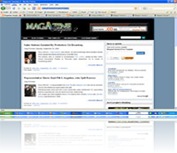 It has been a long time that I didn’t make a template. It happened because of the businesses that have come to me recently. Today, I would like to launch a template which is called “ Magazine Template 2 ”. It is the second generation after the first magazine template that I posted here.
Can’t stand seeing what the magazine template 2 look like? Click the link below to see the demo of magazine template 2.
Demo here!
This template has been tested in the following browser
- FireFox 3.0.1,
- Opera 9.51,
- Google Chrome,
- Safari 3.1.2,
- Flock 1.2.5,
- Netscape Navigator 9.0.0.6,
- Internet Explorer 7
Terms and service
By downloading and using our blogger template, you agree to the following terms:
- The template is free to download
- You may NOT resell the template
- Don't delete A Credits link to this blog
- You may modify, translate or distribute all of the template
- You may use the template for personal or commercial projects
Download Magazine Template 2
Enjoy the new template of your blog!
